
Generative AI Project Template









Template for a new AI Cloud project.
Click on Use this template to start your own project!

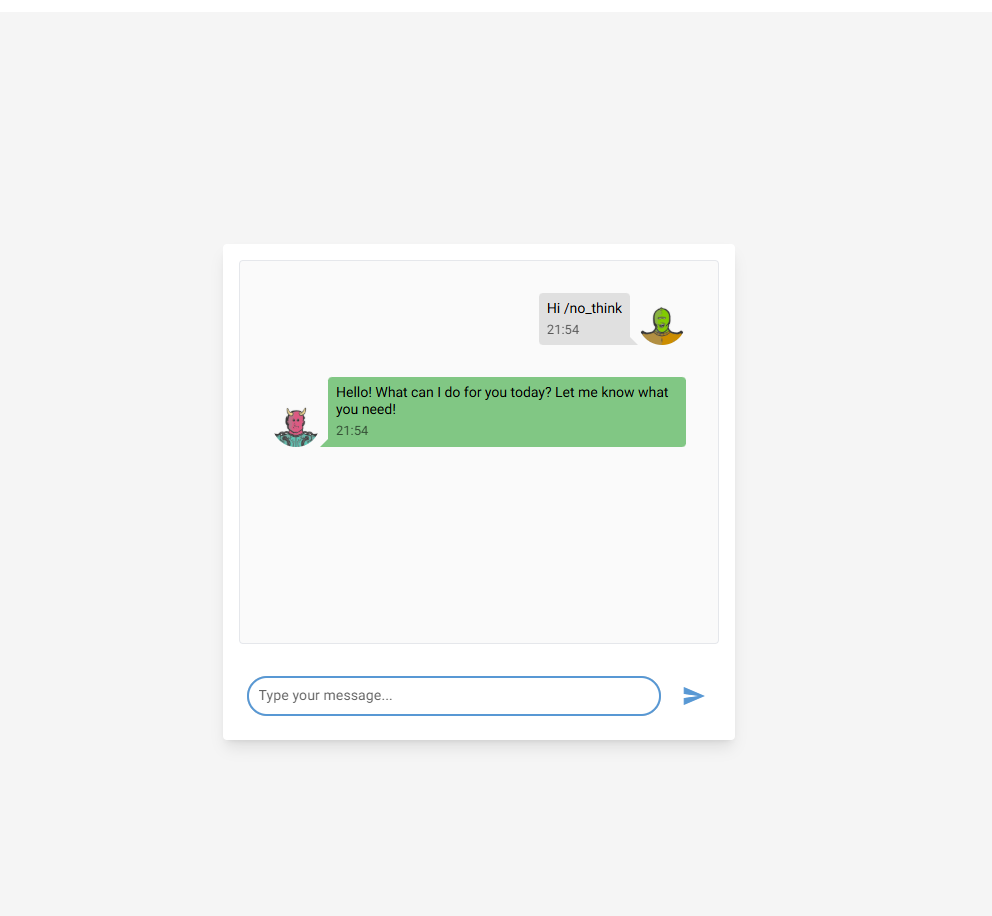
This project is a generative ai template. It contains the following features: LLMs, information extraction, chat, rag & evaluation. It uses LLMs(local or cloud), NiceGUI (frontend) & FastAPI (backend) & Promptfoo as an evaluation and redteam framework for your AI system.
| Test LLM |
|---|
 |
Engineering tools:
- [x] Use UV to manage packages in a workspace (
frontendandbackend). - [x] pre-commit hooks: use
ruffto ensure the code quality &detect-secretsto scan the secrets in the code. - [x] Logging using loguru (with colors)
- [x] Pytest for unit tests
- [x] Dockerized project (Dockerfile & docker-compose).
- [x] NiceGUI (frontend) & FastAPI (backend)
- [x] Make commands to handle everything for you: install, run, test
AI tools:
- [x] LLM running locally with Ollama or in the cloud with any LLM provider (LiteLLM)
- [x] Information extraction and Question answering from documents
- [x] Chat to test the AI system
- [x] Efficient async code using asyncio.
- [x] AI Evaluation framework: using Promptfoo, Ragas & more...
CI/CD & Maintenance tools:
- [x] CI/CD pipelines:
.github/workflowsfor GitHub (Testing the AI system, local models with Ollama and the dockerized app) - [x] Local CI/CD pipelines: GitHub Actions using
github act - [x] GitHub Actions for deploying to GitHub Pages with properdocs gh-deploy
- [x] Renovate
.github/renovate.jsonfor automatic dependency and security updates - [x] Issues & PRs templates
Documentation tools:
- [x] Wiki creation and setup of documentation website using properdocs (mkdocs-material)
- [x] GitHub Pages deployment using mkdocs gh-deploy plugin
1. Getting started
This project is a monorepo containing two main packages:
frontend: A NiceGUI application.backend: A FastAPI application that serves the AI models and business logic.
The project uses uv as a package manager and is configured as a workspace, so dependencies for both packages can be installed with a single command.
Project Structure
frontend/: The NiceGUI frontend application.pyproject.toml: Frontend-specific dependencies.src/: Source code for the frontend.backend/: The FastAPI backend application.pyproject.toml: Backend-specific dependencies.src/: Source code for the backend..github/: GitHub-specific files.workflows/: GitHub Actions CI/CD pipelines.dependabot.yml: Dependabot configuration for dependency updates.assets/: Static assets like images.scripts/: Utility scripts.tests/: Pytest unit and integration tests..env.example: Example environment variables. Create a.envfrom this.Dockerfile: To build the application container.docker-compose.yml: To run services likefrontend,backend, andollama..gitlab-ci.yml: GitLab CI configuration file.Makefile: Main entry point that includes modular makefiles.makefiles/: Modular makefile includes organized by purpose.common.mk: Shared variables (colors, UV path, Ollama models).install.mk: Installation targets (uv, dependencies, Ollama).dev.mk: Development targets (run frontend/backend, pre-commit).test.mk: Testing targets (pytest, Ollama tests).build.mk: Build and Docker targets.ci.mk: CI/CD targets (GitHub Actions locally).clean.mk: Cleanup targets (cache management).pyproject.toml: Definesuvworkspace and shared dependencies.uv.lock: Lock file foruvpackage manager..pre-commit-config.yaml: Configuration for pre-commit hooks.mkdocs.yml: Configuration for the documentation site.README.md,CONTRIBUTING.md,CODE_OF_CONDUCT.md,LICENSE: Project documentation.
1.1. Local Prerequisites
- Ubuntu 22.04 or MacOS
- git clone the repository
- UV & Python 3.12 (will be installed by the Makefile)
- Create a
.envfile (take a look at the.env.examplefile)
1.2 ⚙️ Steps for Installation
This project uses a Makefile to simplify the installation and execution process.
Local Installation
-
For CPU-based environment (or MacOS) To install all dependencies for both
frontendandbackendfor a CPU environment, run: -
For NVIDIA GPU (CUDA) environment If you have an NVIDIA GPU and want to use CUDA for acceleration, run:
This will install the CUDA-enabled version of PyTorch.
Using Docker
The project can be fully containerized using Docker. This is the recommended way to run the application as it handles all services and networks.
- The docker-compose.yml and docker-compose-cuda.yml files define the services.
- To run the entire application stack using Docker Compose with CPU support:
Using Local vs. Cloud LLMs
- Local model (Ollama):
- Install Ollama:
make install-ollama - Ensure Ollama is running (
make run-ollamacan help). - Set your
.envfile to point to the local Ollama endpoint (copy and paste from the.env.examplefile). - Download a model:
make download-ollama-models - Test the connection:
make test-ollama - Test the connection:
make test-inference-llm - Cloud model (OpenAI, Anthropic, etc.):
- Update your
.envfile with the correct API keys and model names, following the LiteLLM naming convention. - Test the connection:
make test-inference-llm
- Update your
Running the Application
Once installed (either locally or via Docker), you can run the services.
-
Run Everything: The
make run-appcommand is the easiest way to start all services, including the frontend, backend, database, and Ollama. -
Run Services Individually:
- Run Backend:
make run-backend - Run Frontend:
make run-frontend
You can then access: - Frontend (NiceGUI): http://localhost:8080 (or the configured port) - Backend (FastAPI): http://localhost:8000 (or the configured port). Docs http://localhost:8000/docs
1.3 ⚙️ Steps for Installation (Contributors and maintainers)
Check the CONTRIBUTING.md file for more information.
2. Makefile Commands
The project uses a modular Makefile structure. Run make help to see all available commands.
Installation Commands
| Command | Description |
|---|---|
make install-uv |
Install uv package manager |
make install-dev |
Install all dev dependencies (CPU) |
make install-dev-cuda |
Install all dev dependencies (CUDA) |
make install-frontend |
Install frontend dependencies only |
make install-backend |
Install backend dependencies (CPU) |
make install-backend-cuda |
Install backend dependencies (CUDA) |
make install-ollama |
Install Ollama |
make download-ollama-models |
Download Ollama models |
Development Commands
| Command | Description |
|---|---|
make run-frontend |
Run the frontend (NiceGUI) |
make run-backend |
Run the backend (FastAPI) |
make run-frontend-backend |
Run frontend and backend together |
make run-app |
Run the full application (Ollama + frontend + backend) |
make run-ollama |
Run Ollama server |
make chat-ollama |
Chat with Ollama model |
make pre-commit |
Run pre-commit on all files |
Testing Commands
| Command | Description |
|---|---|
make test |
Run tests with pytest |
make test-ollama |
Test Ollama connection |
make test-inference-llm |
Test LLM inference |
Build & Docker Commands
| Command | Description |
|---|---|
make docker-compose |
Run docker-compose |
make docker-compose-cuda |
Run docker-compose with CUDA support |
make docker-compose-rebuild |
Run docker-compose with rebuild |
make deploy-doc-local |
Deploy documentation locally |
make deploy-doc-gh |
Deploy documentation to GitHub Pages |
CI/CD Commands
| Command | Description |
|---|---|
make install-act |
Install GitHub Actions act for local testing |
make act |
Run GitHub Actions locally |
make clear_ci_cache |
Clear GitHub and GitLab CI local caches |
Cleanup Commands
| Command | Description |
|---|---|
make prune-uv |
Remove unused uv cache entries |
make clean-uv-cache |
Remove all uv cache entries |
3. Contributing
Check the CONTRIBUTING.md file for more information.